

This guide will walk you through the process of creating a new project on FusionMap
Go to us.fusionmap.com #
1. Read the Terms of Use #
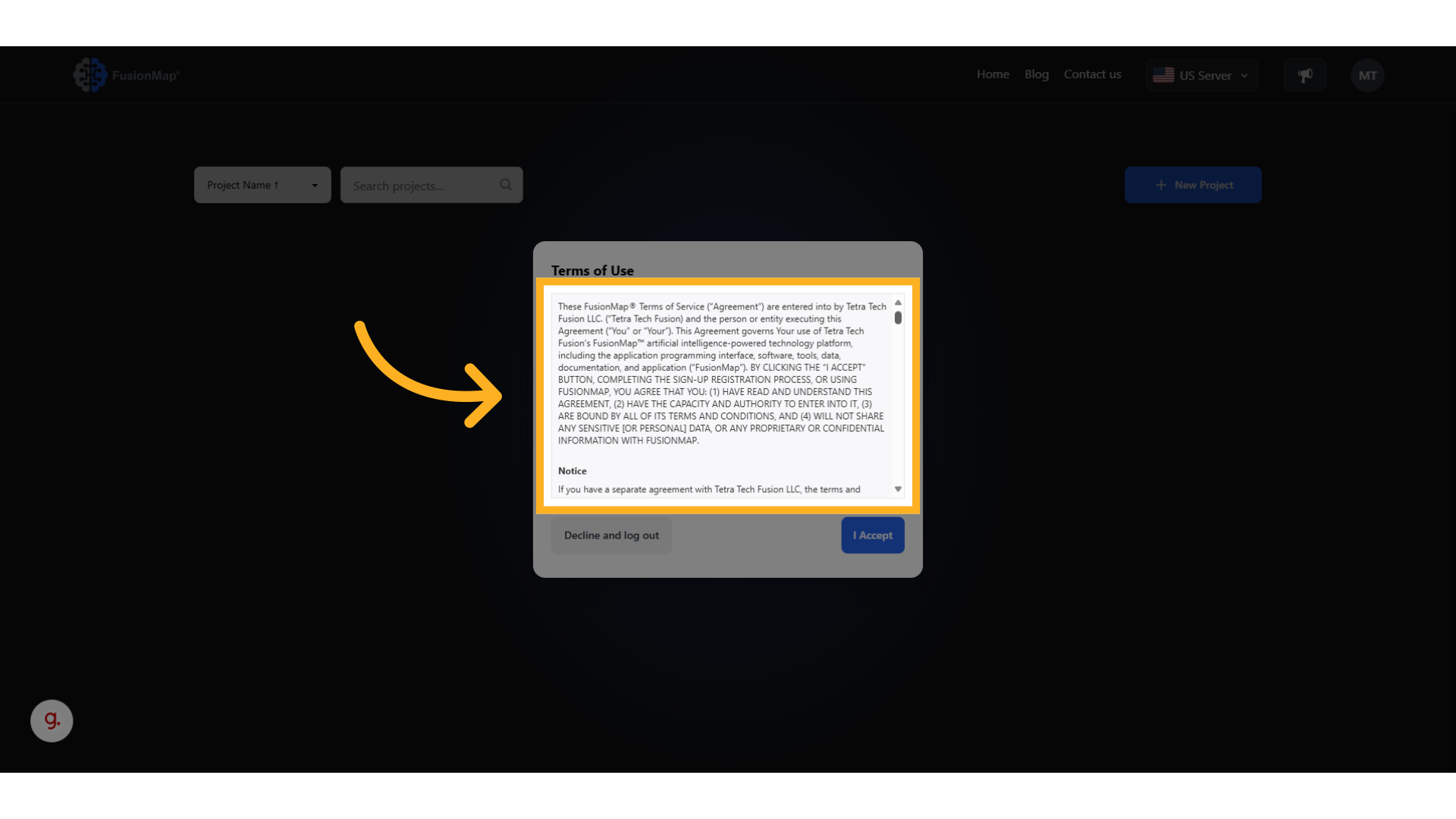
2. Accept the Terms of Use #
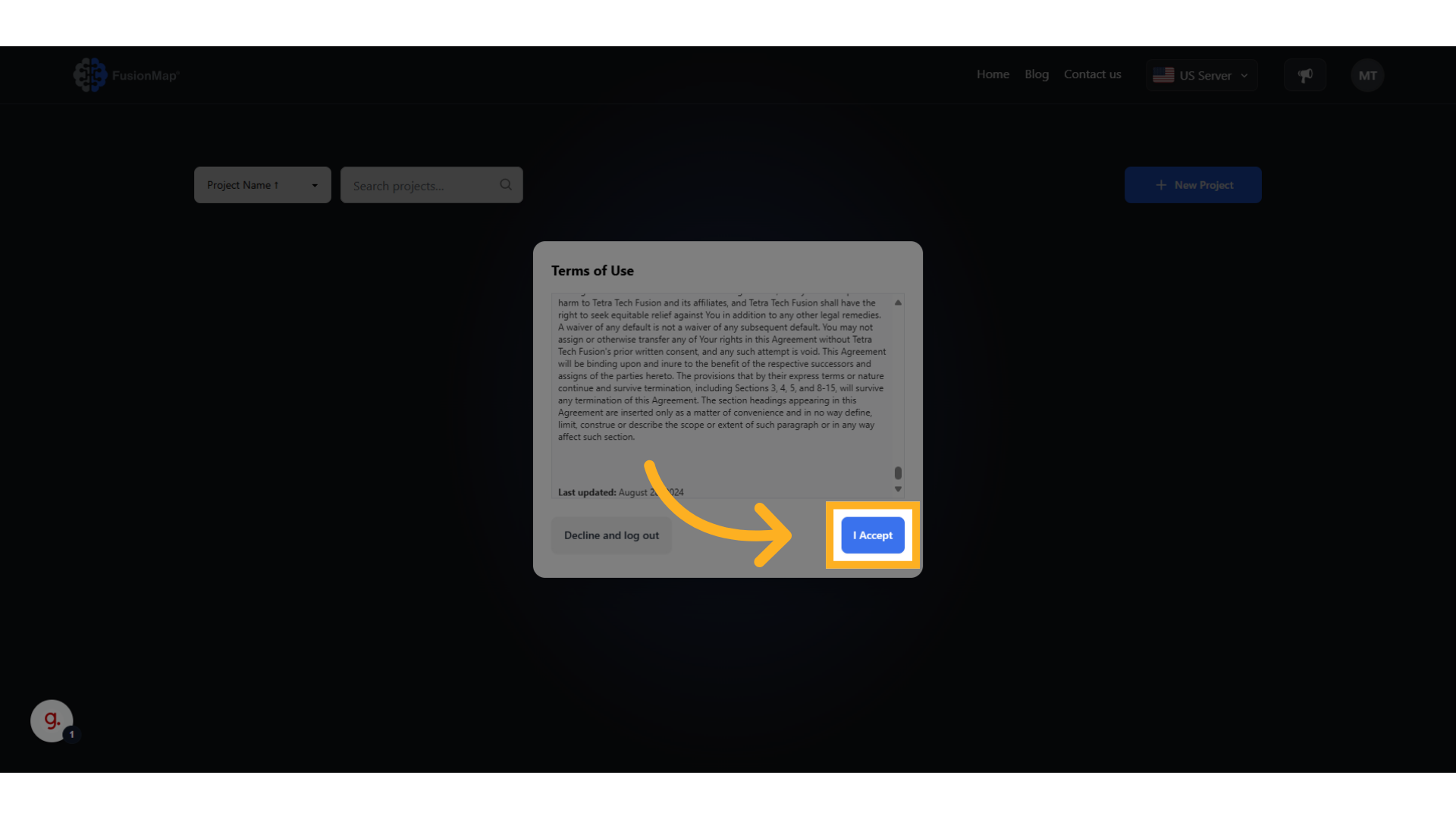
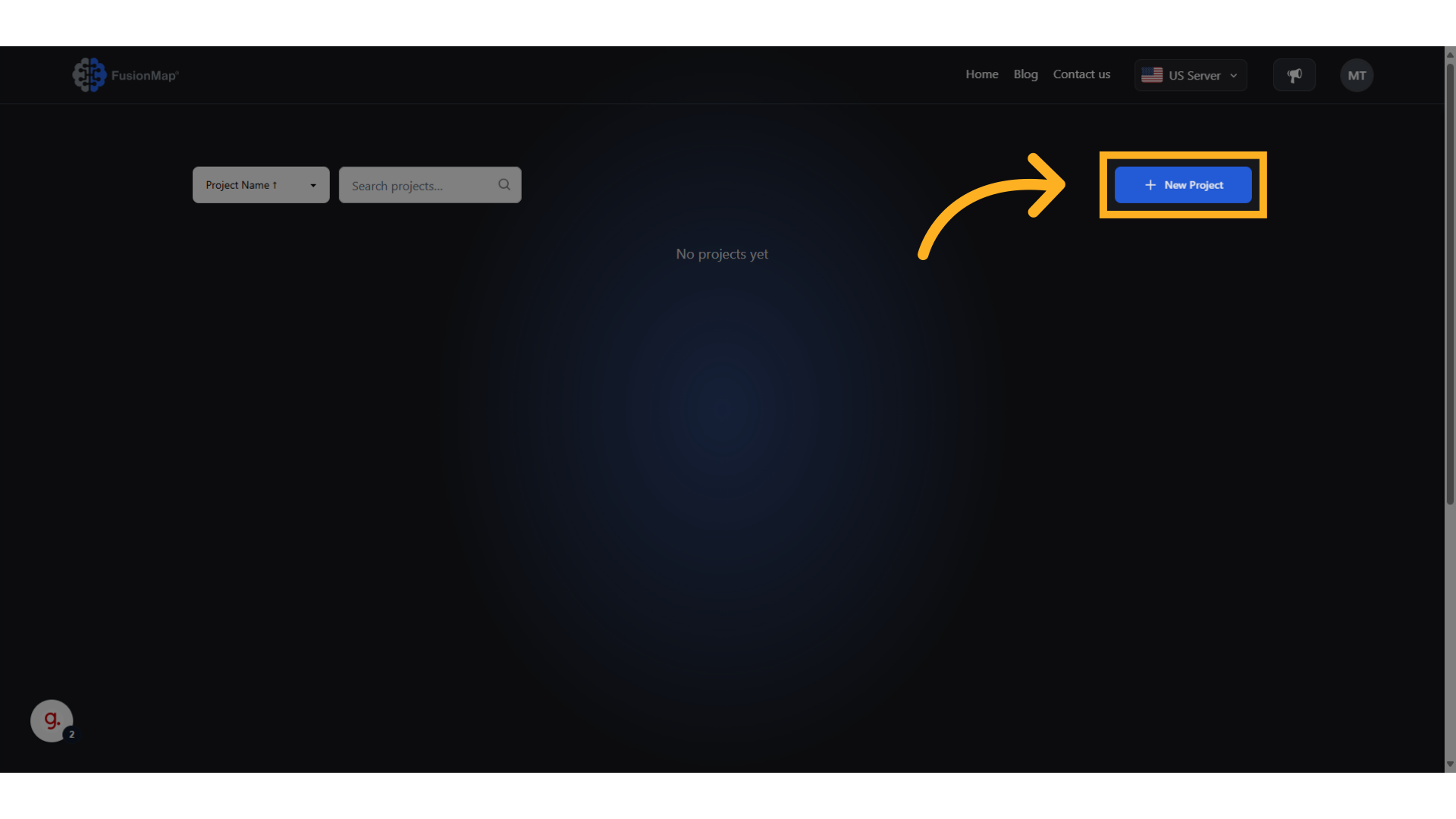
3. Click “New Project” #
Start creating your brand new project!
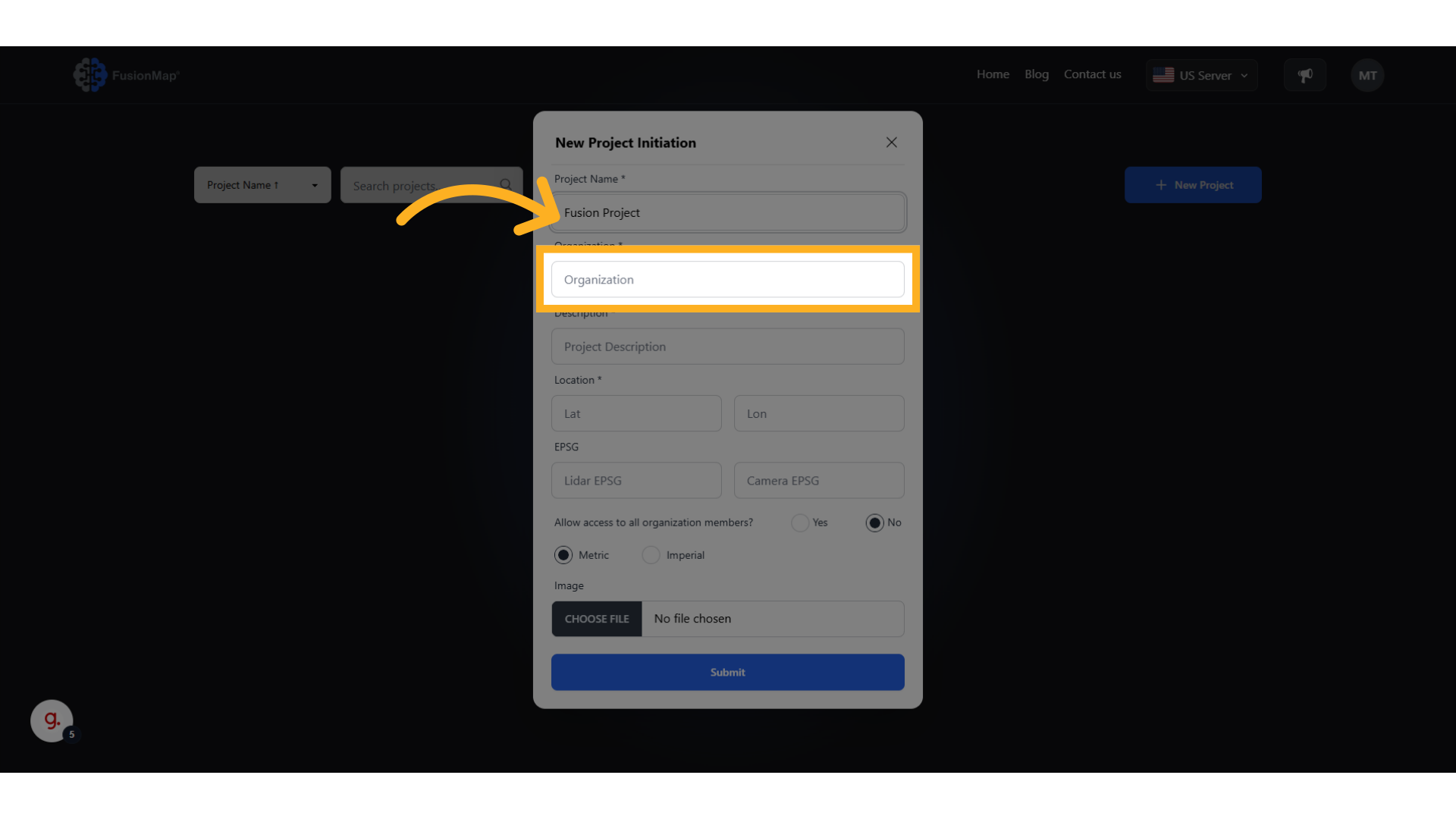
4. Enter Your Project Name #

5. Enter Your Organization’s Name #
6. Enter a Description For Your Project #
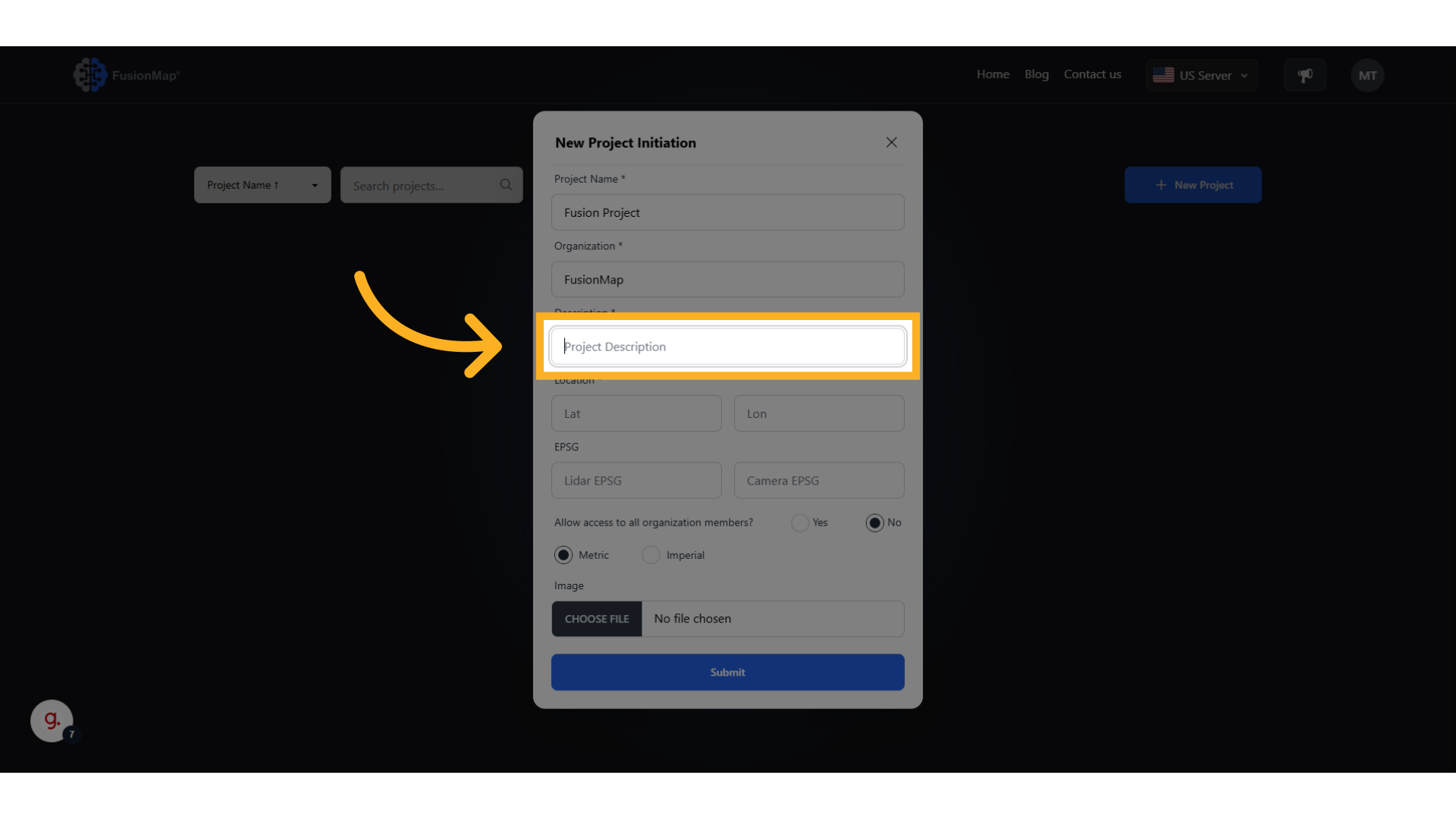
7. Enter the location of your project #
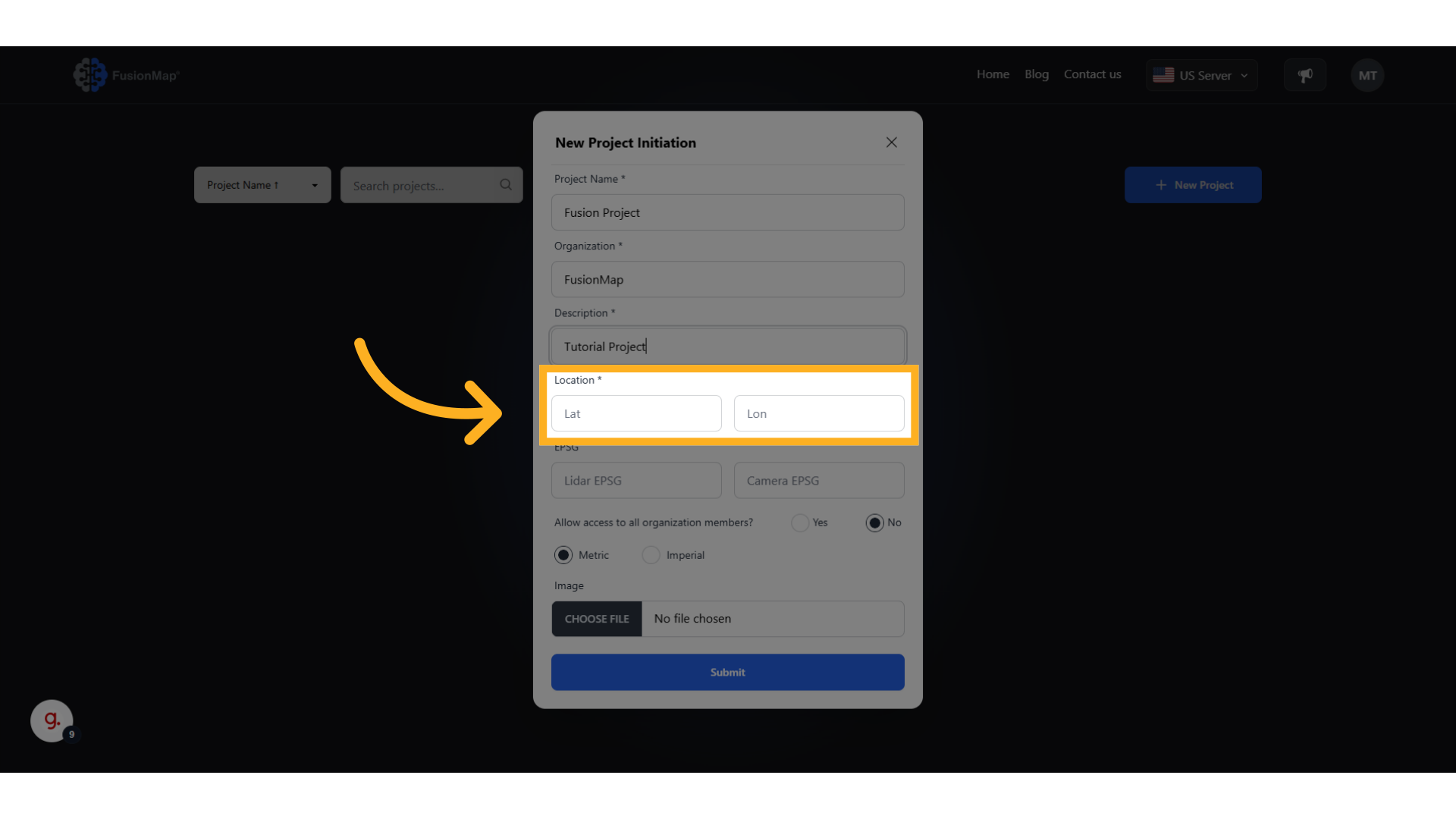
8. Enter your Lidar EPSG (if applicable) #
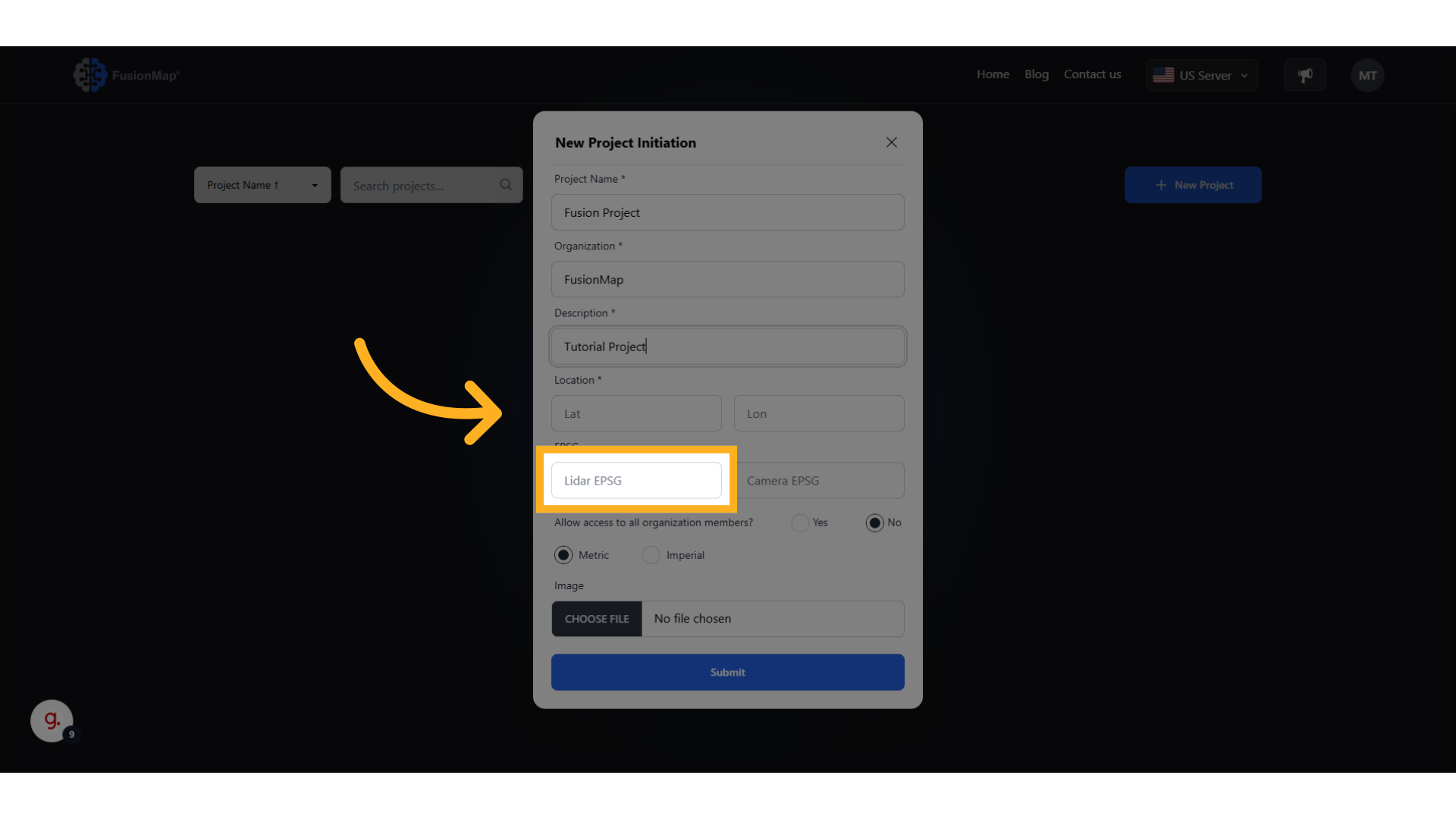
9. Enter Your Camera EPSG (if applicable) #
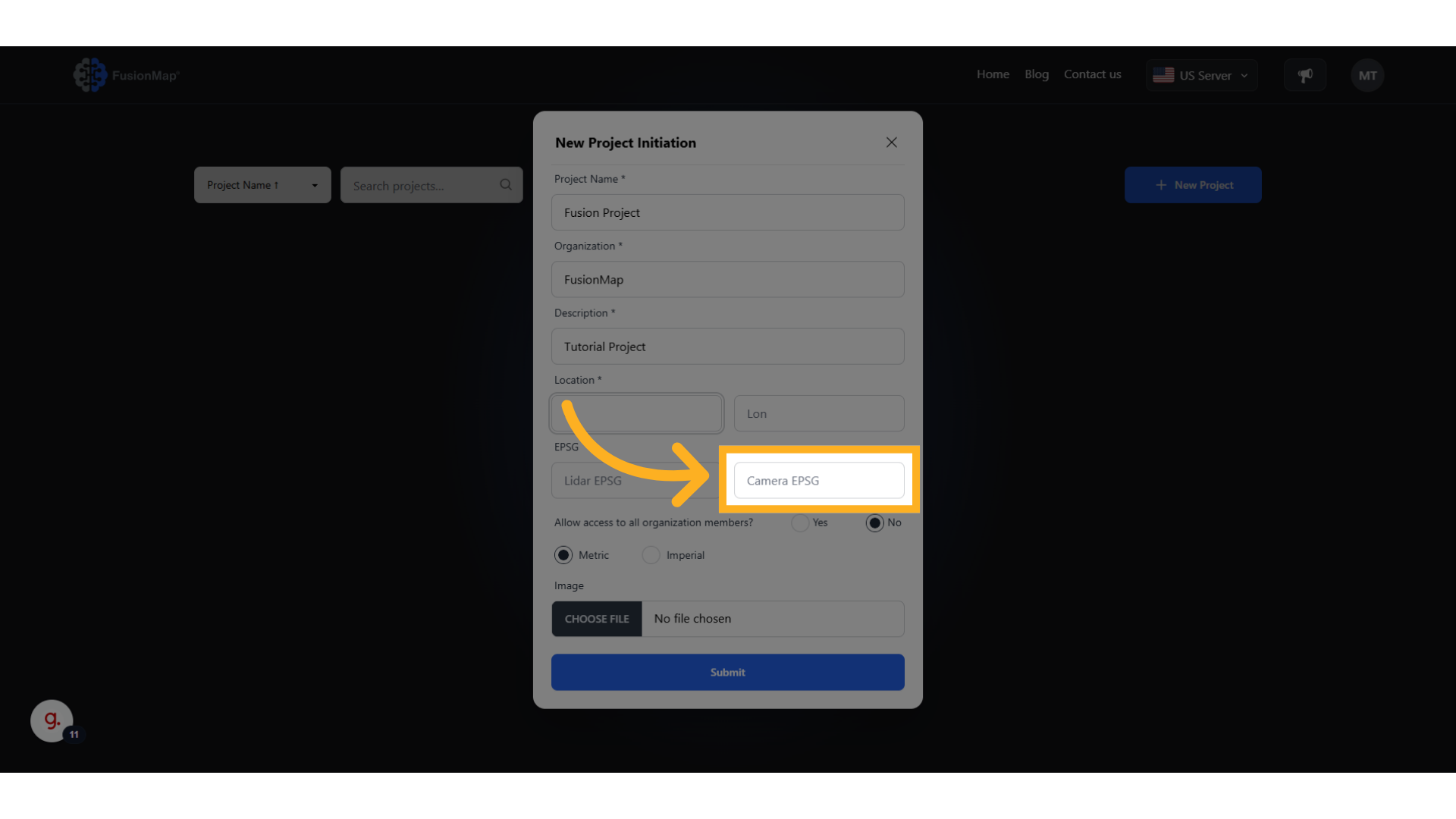
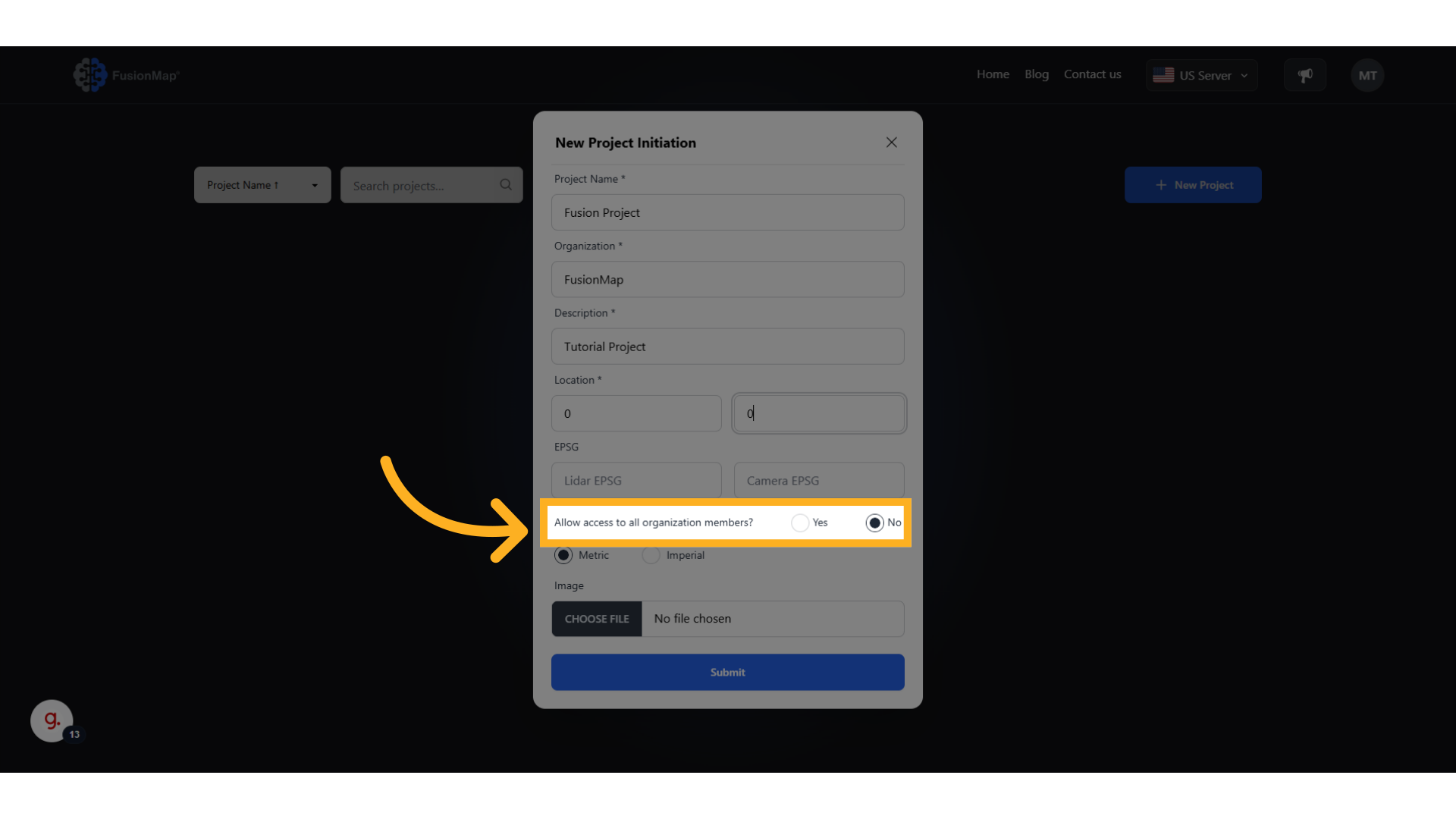
10. Choose who gets to access your project #
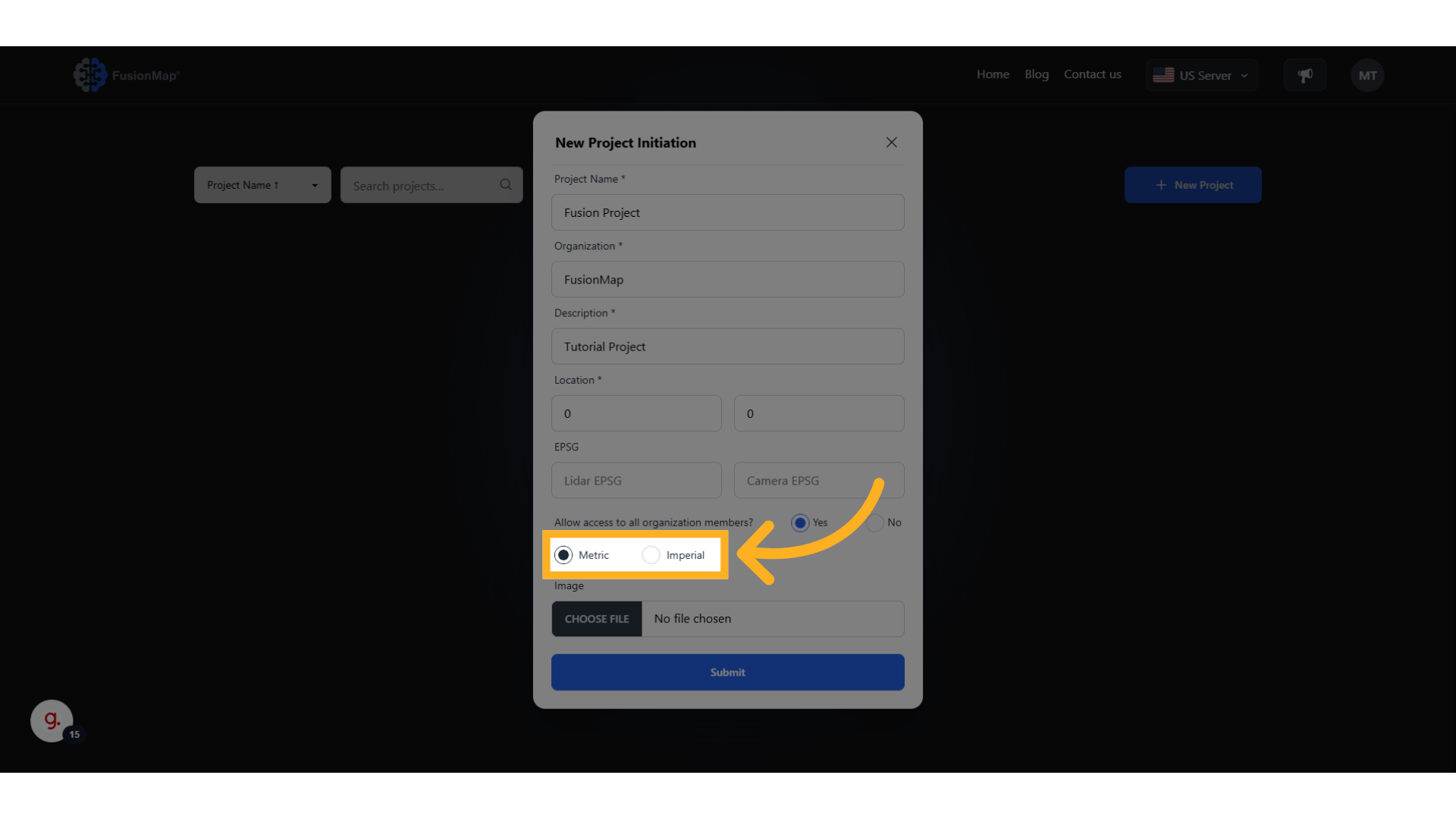
11. Choose Your Preferred Metric System #
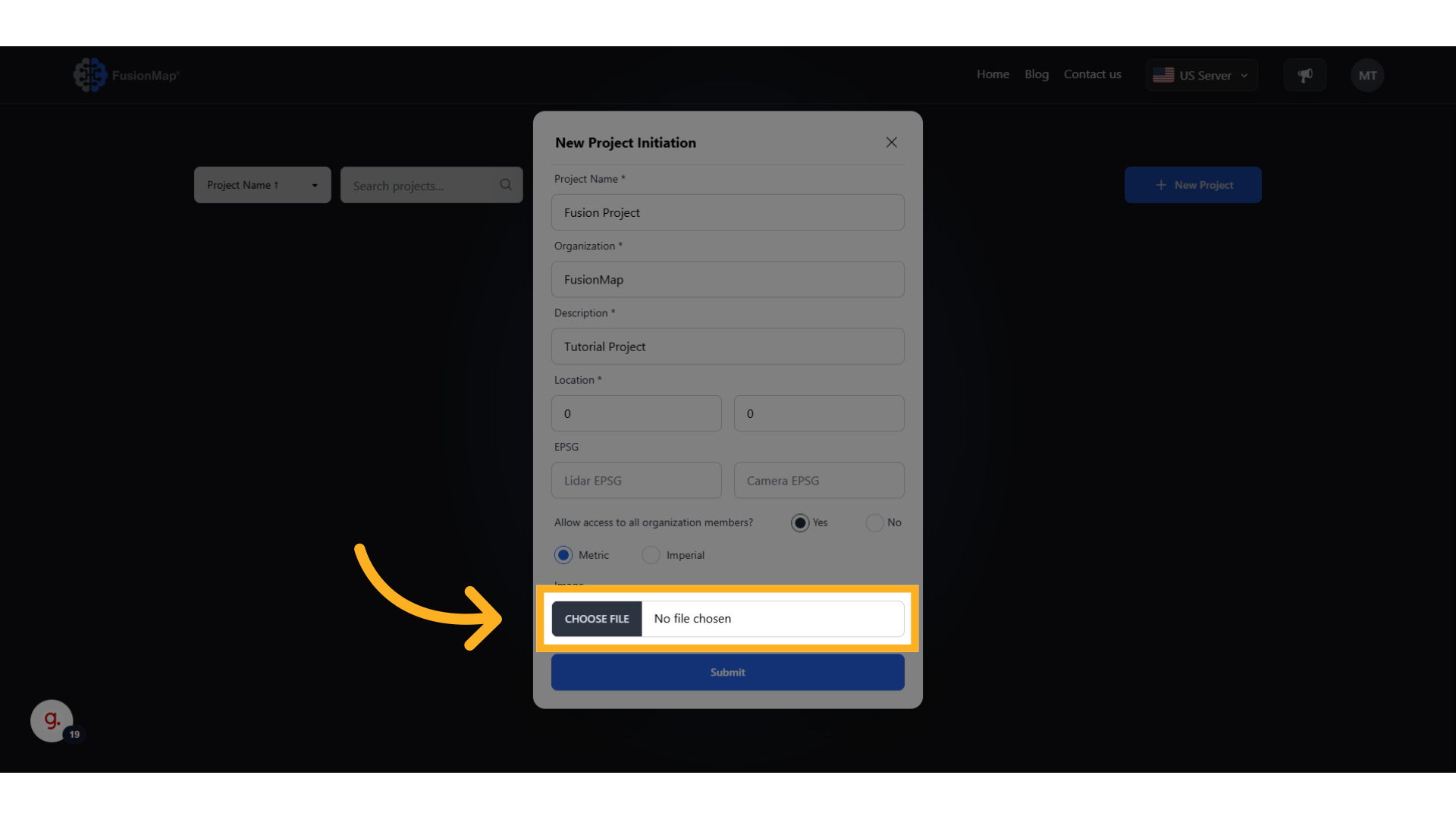
12. Upload a thumbnail for your project #
Personalize your project with a thumbnail of your choosing
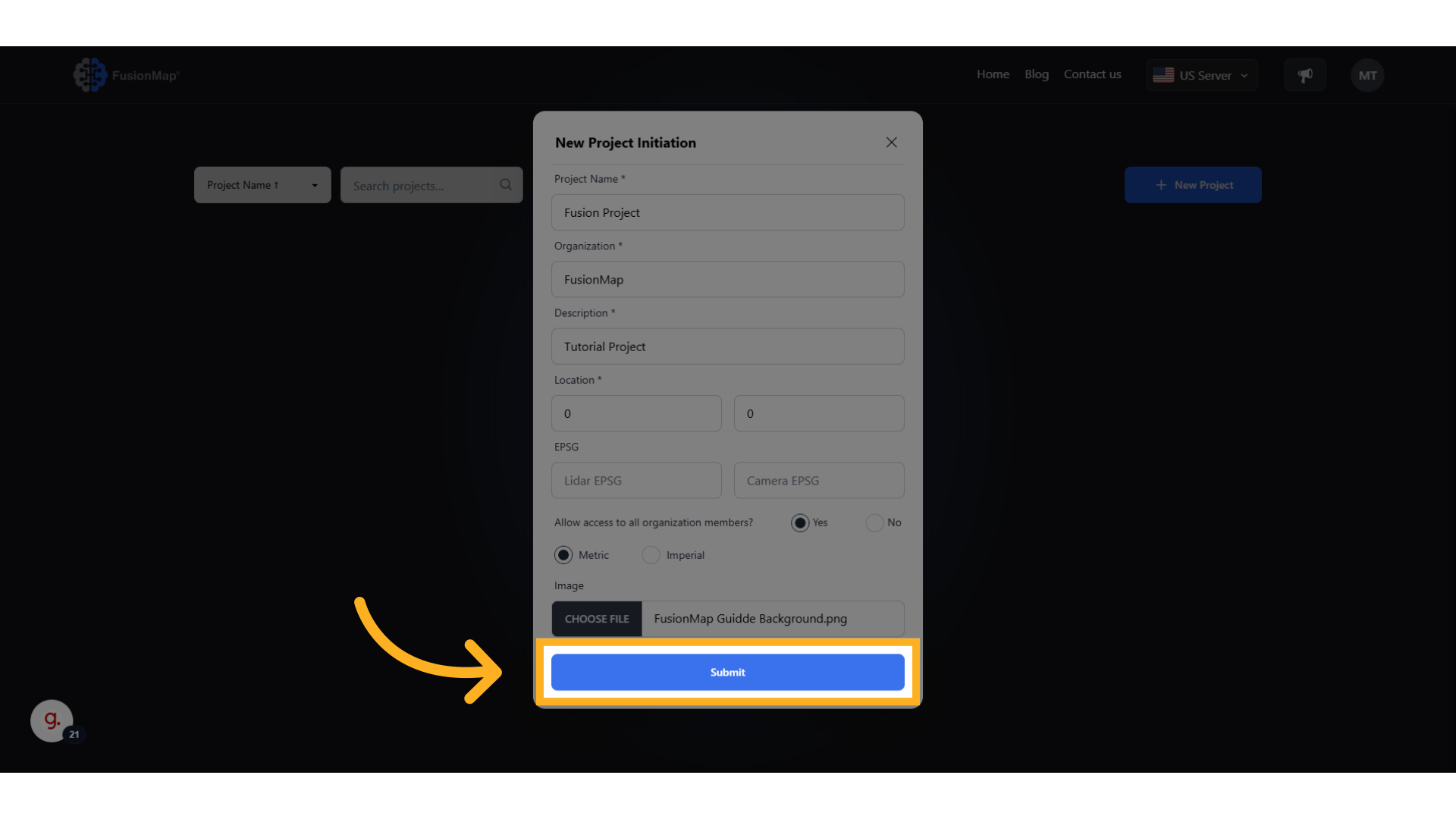
13. Click “Submit” to create your project #
14. Access Your Brand New Project Here #
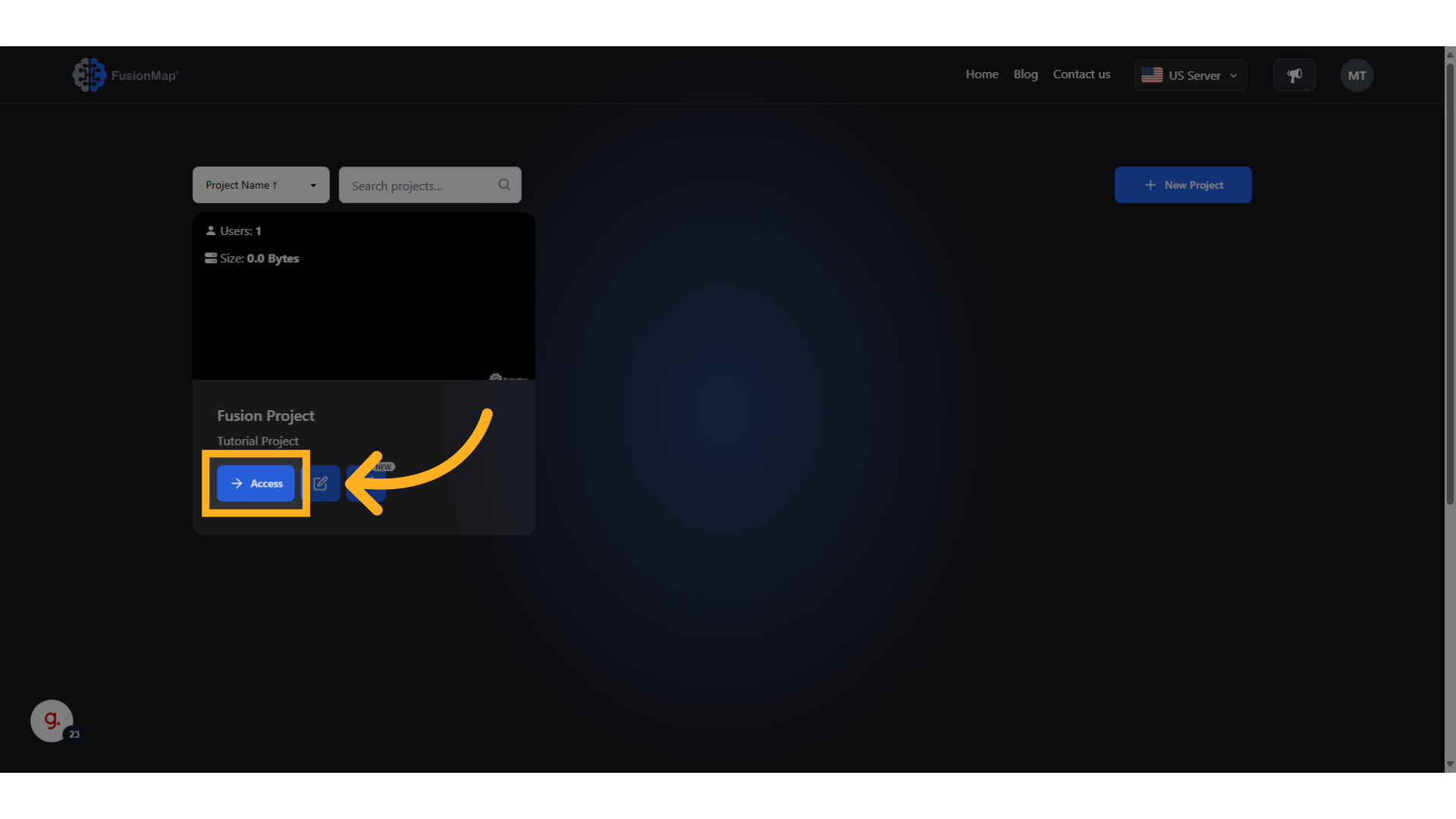
This guide runs the user through creating a project on FusionMap.